
How to Disable and Delete Your BYDFi Account (PC)
If you're no longer planning to use your BYDFi account, you can either disable it temporarily or delete it permanently. This guide will walk you through how to safely manage your BYDFi account on your desktop (PC).
🧐 What's the Difference Between Disabling and Deleting Your BYDFi Account?
- Disable Account: Temporarily disables your account. You can reactivate it later after completing the required identity verification.
- Delete Account: Permanently removes your account and data. Once deleted, your account cannot be recovered.
📲 Step-by-Step Guide to Disable or Delete Your BYDFi Account (PC)
1. Log in to your BYDFi account and navigate to "Account and Security".
2. Under account, click "Security."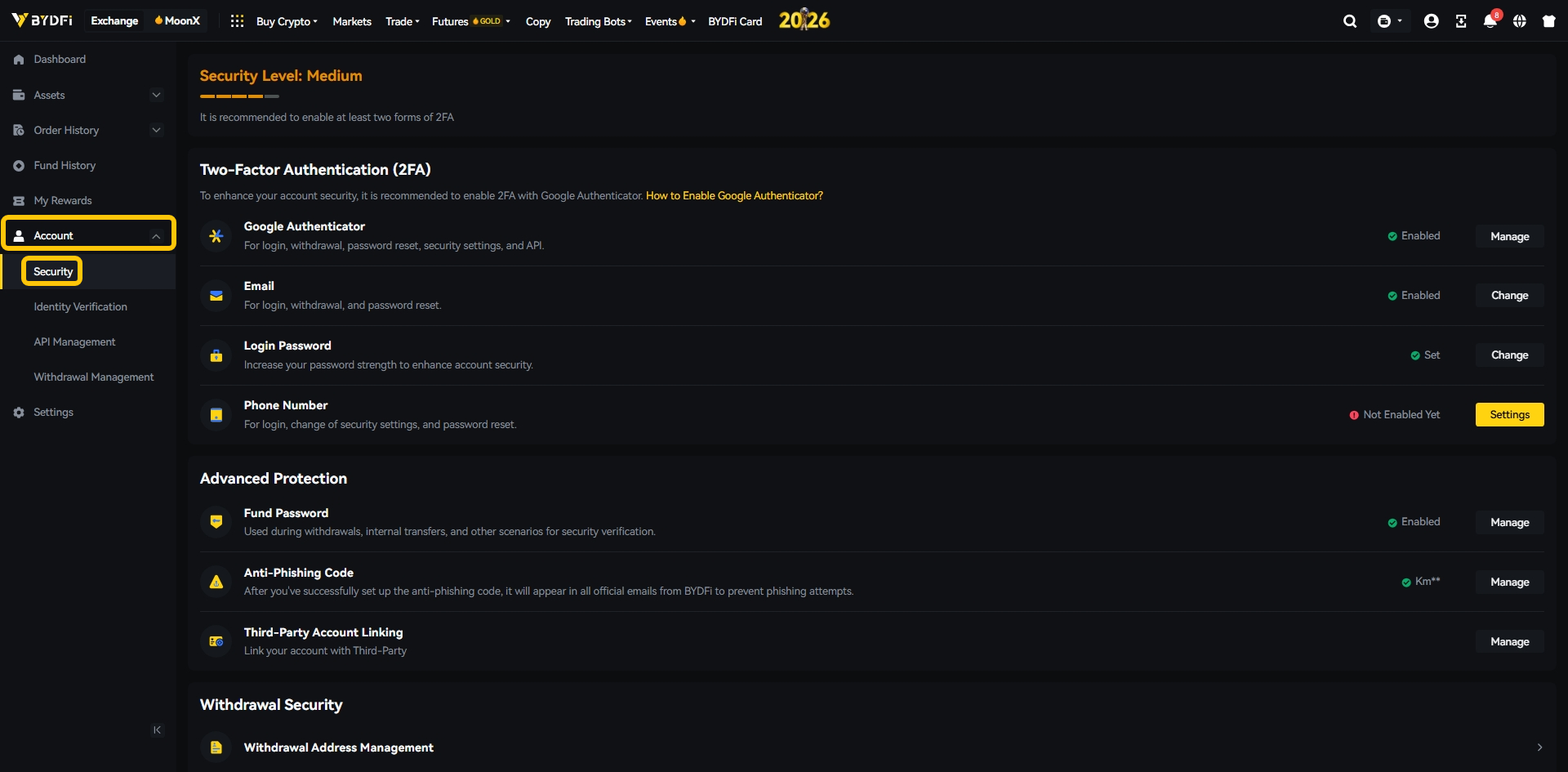
3. Find the "Account Management" section.
You’ll see two options: Disable Account or Delete Account 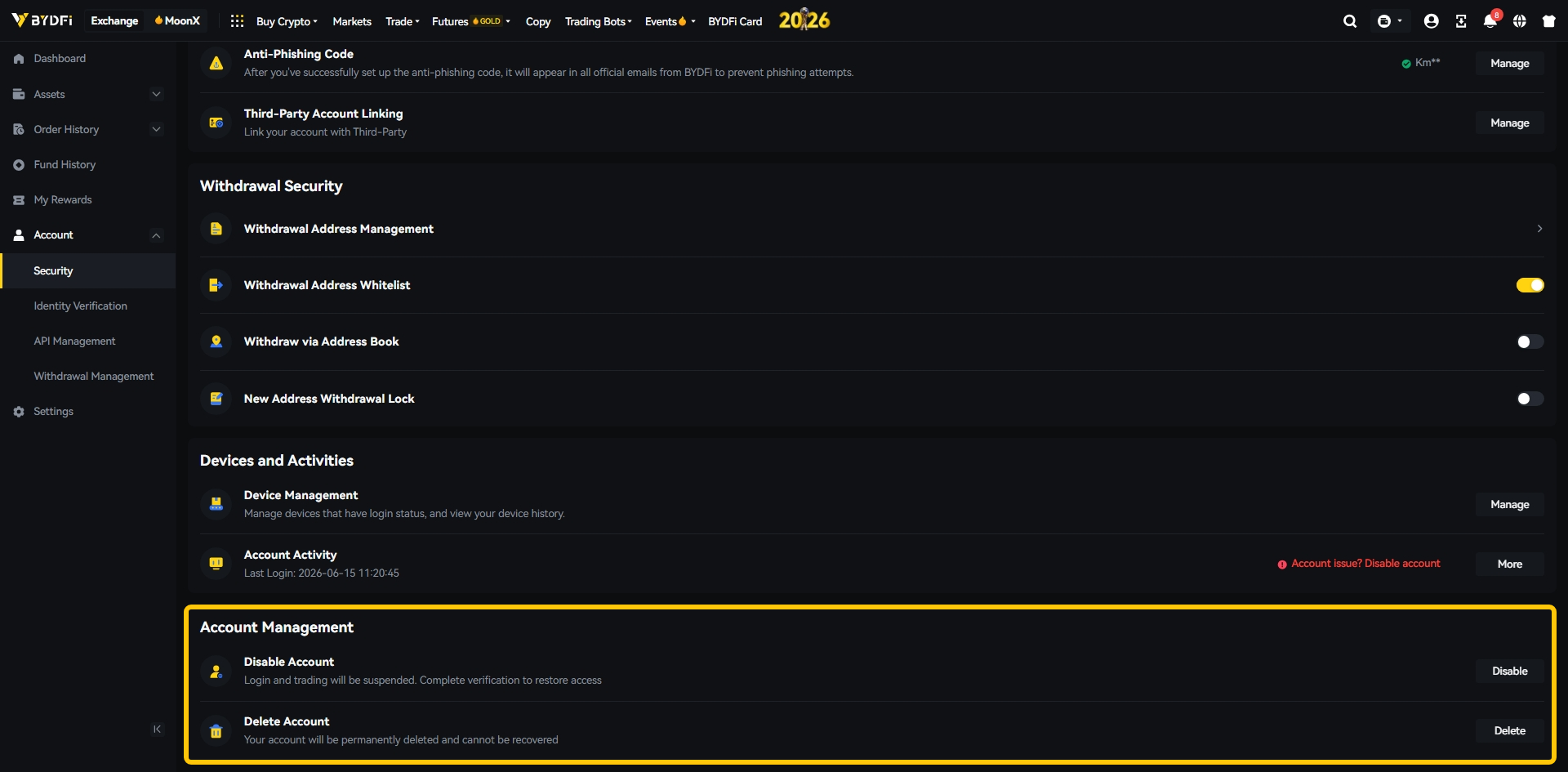
🔐 How to Disable Your BYDFi Account
In the Account Management section, click the Disable menu under the Disable Account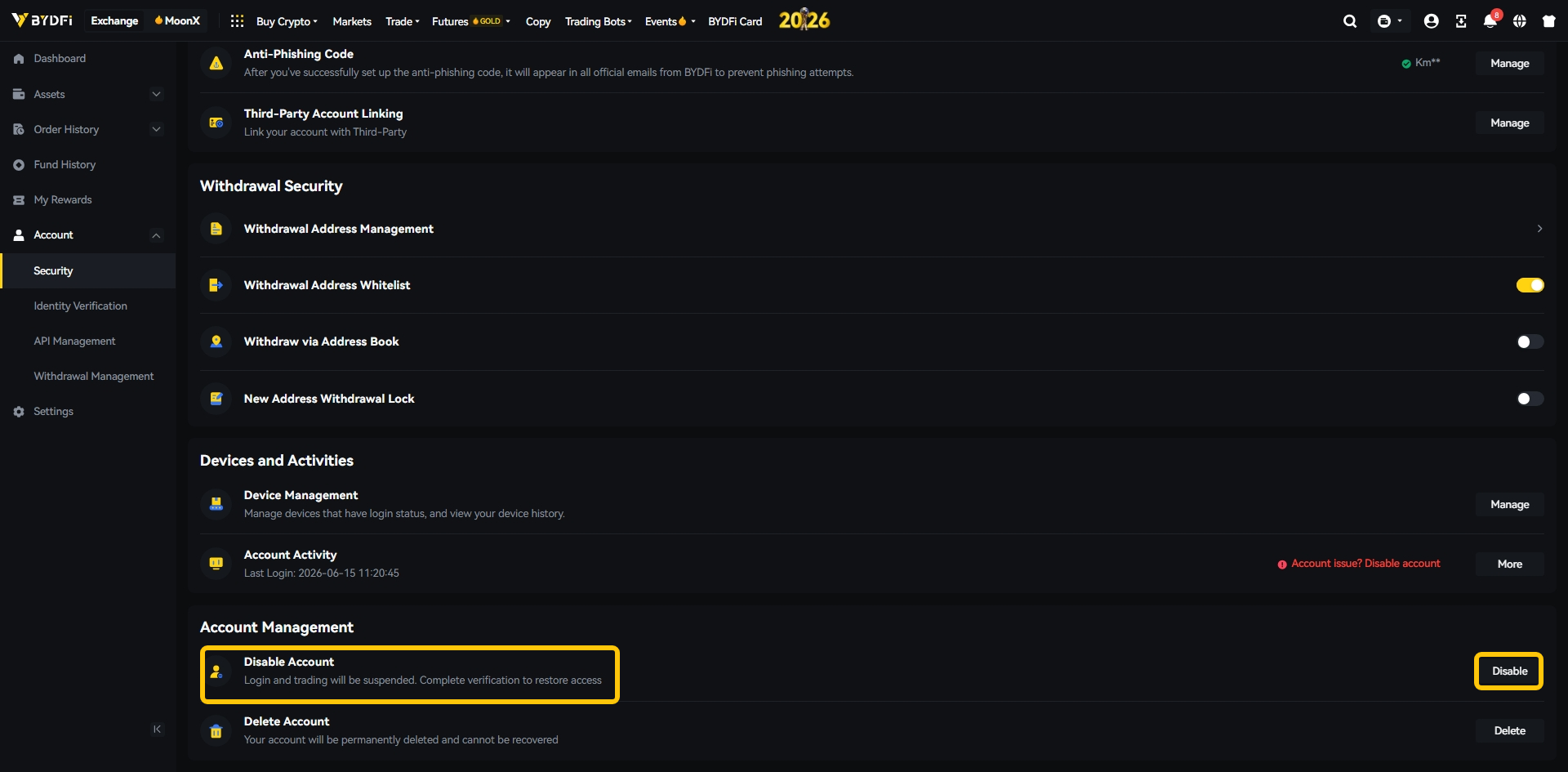
Select Account Disable Reason then click on Disable account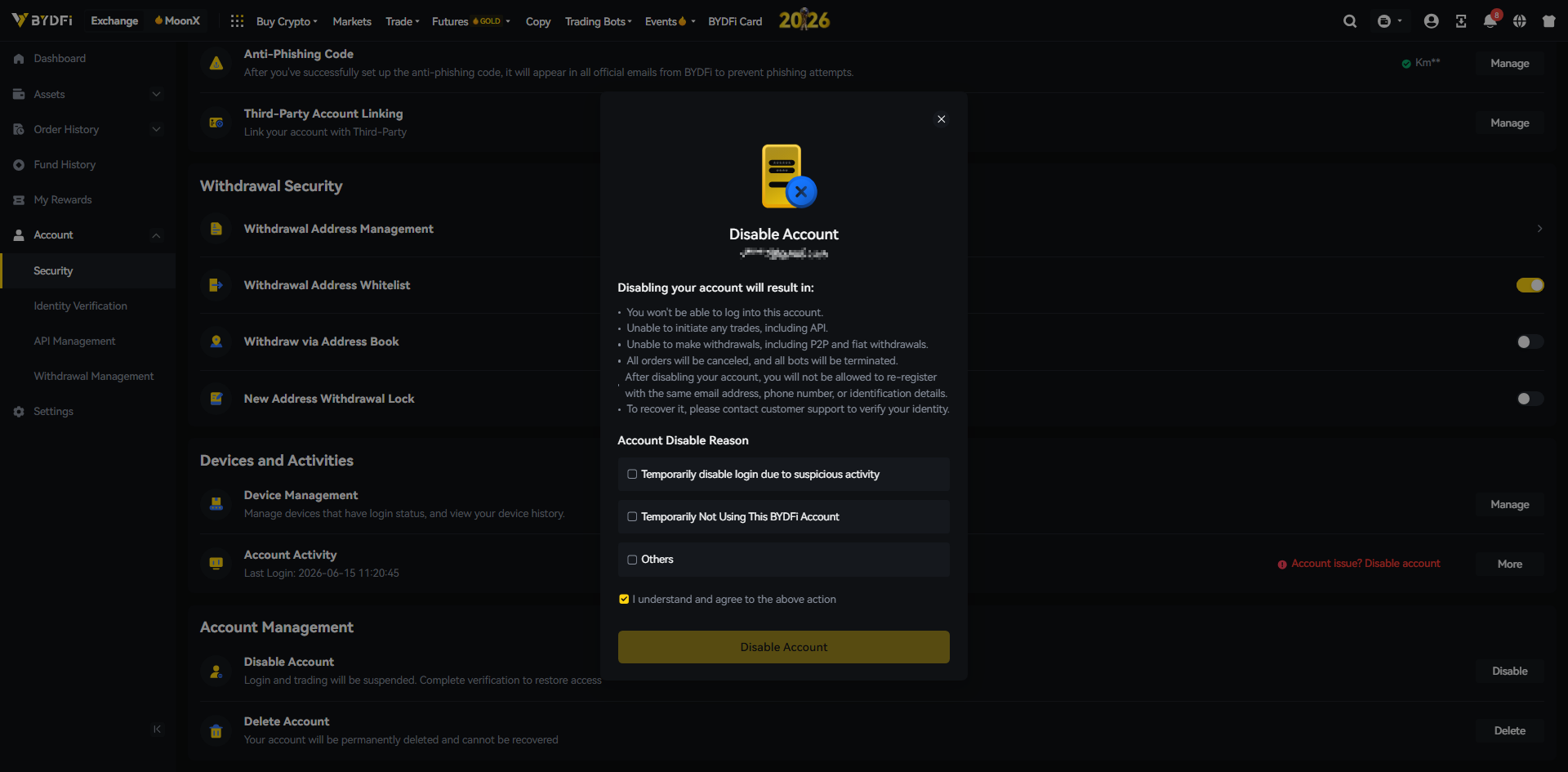
Enter verification code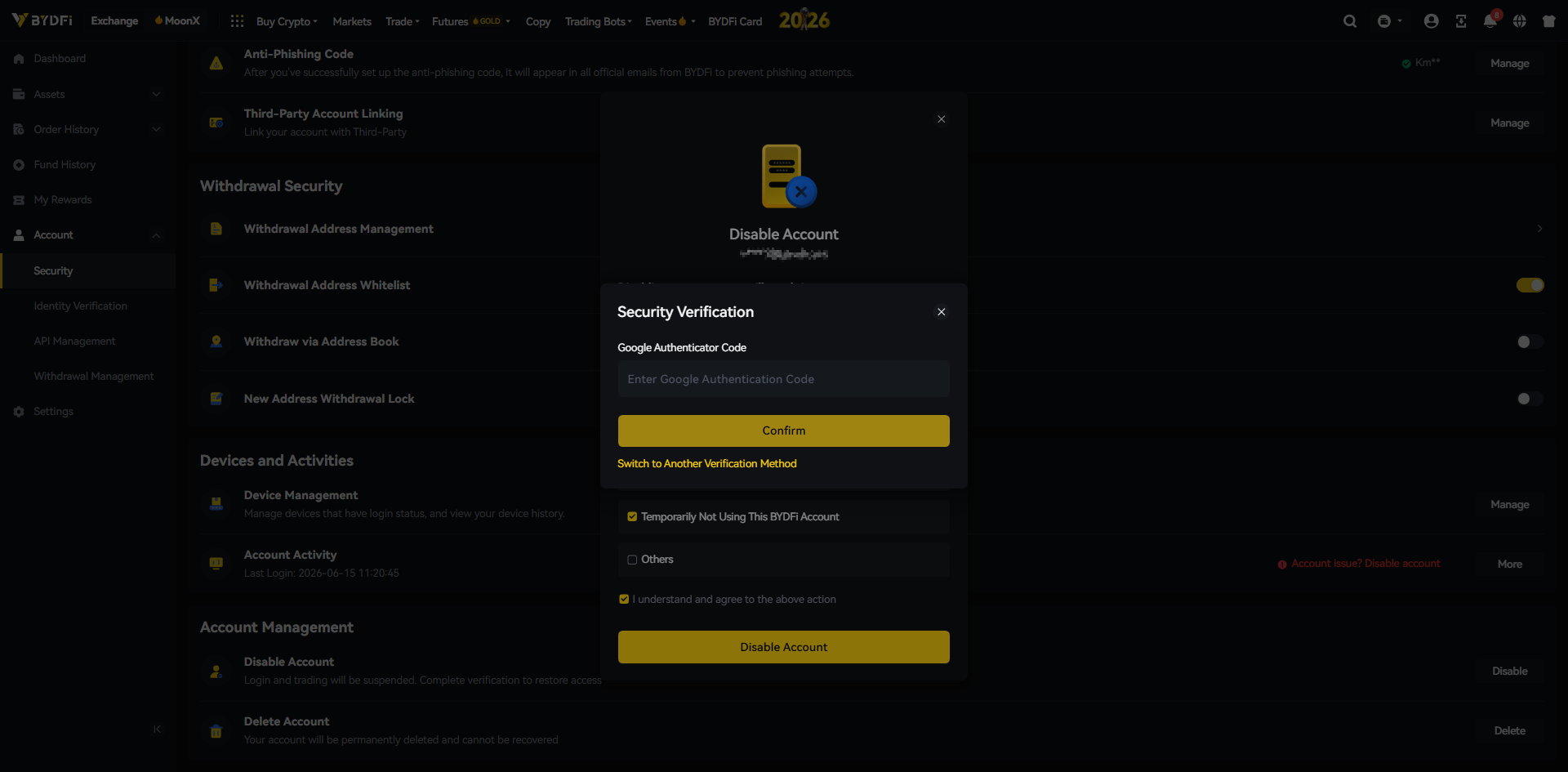
✅ Reactivation Instructions
- If you choose to come back, answer the same set of security questions to unlock your account.
- You may also contact online customer service if assistance is needed.
⏳ Note: It takes 2 hours for the deactivation to take effect. You won’t be able to log in or trade during this time.
🗑️ How to Permanently Delete Your BYDFi Account
In the Account Management section, click the Delete menu under the Delete Account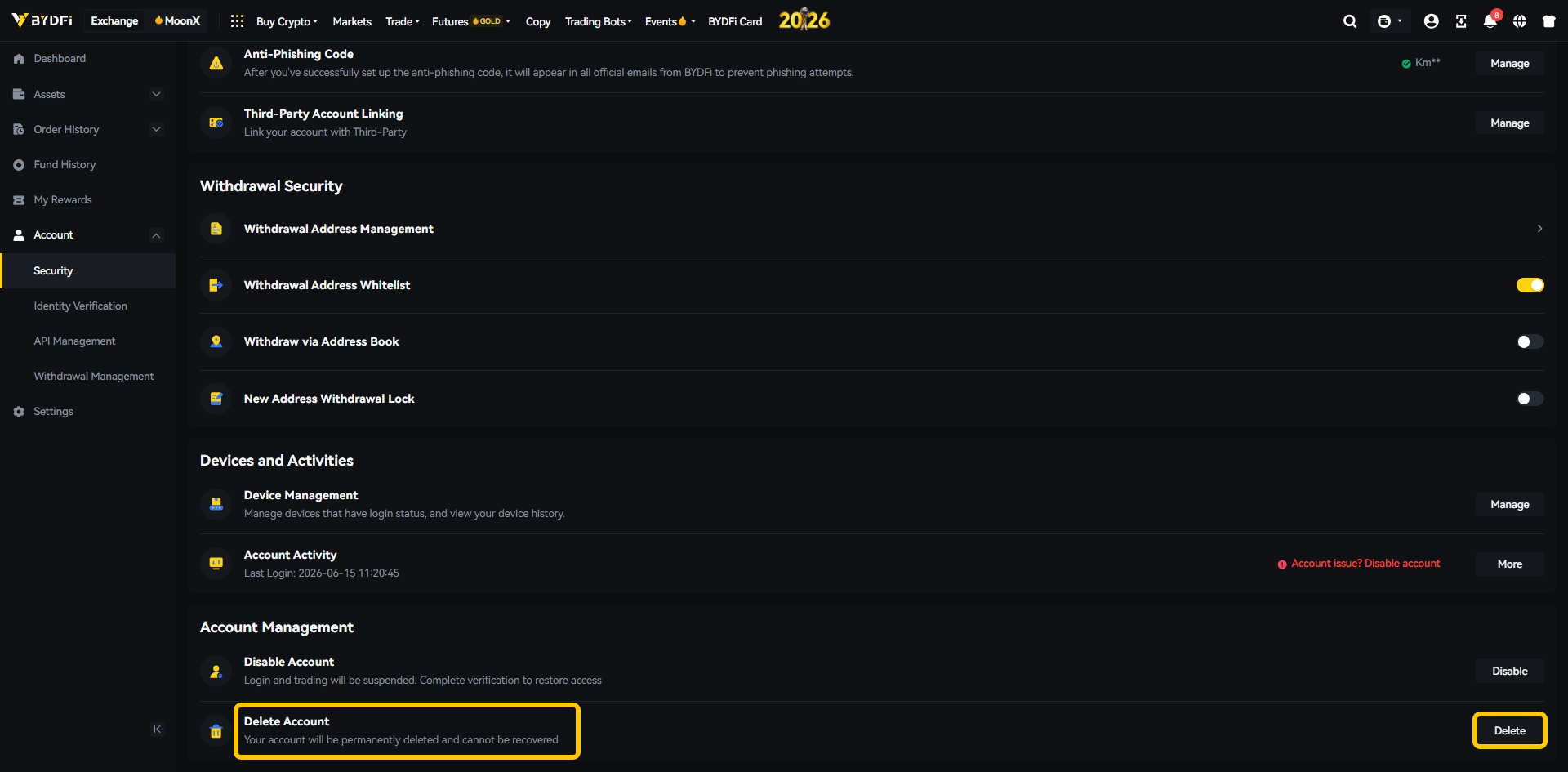
Select your reason for account deletion to continue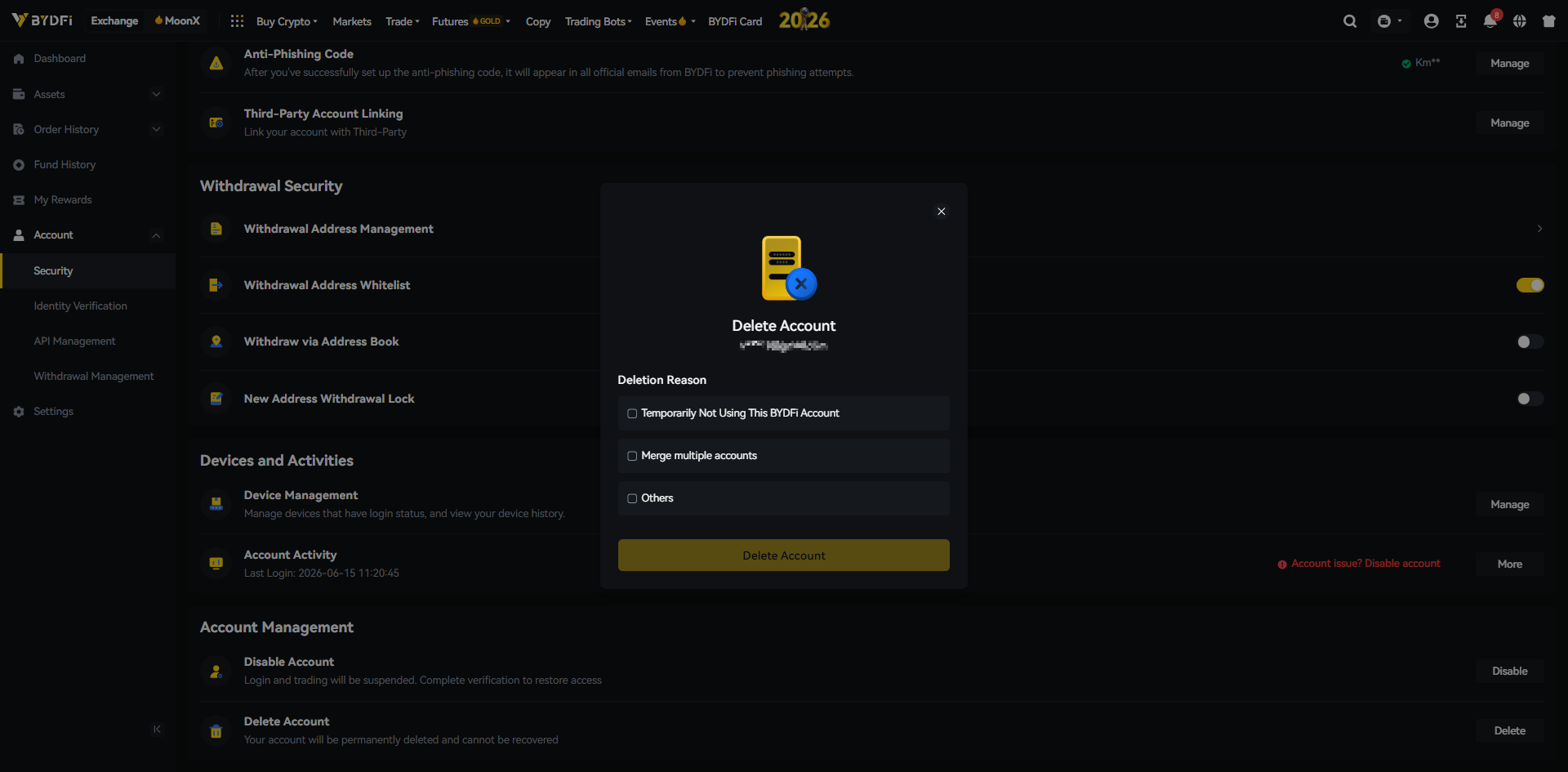
Tick agree and accept loss of asset and click Delete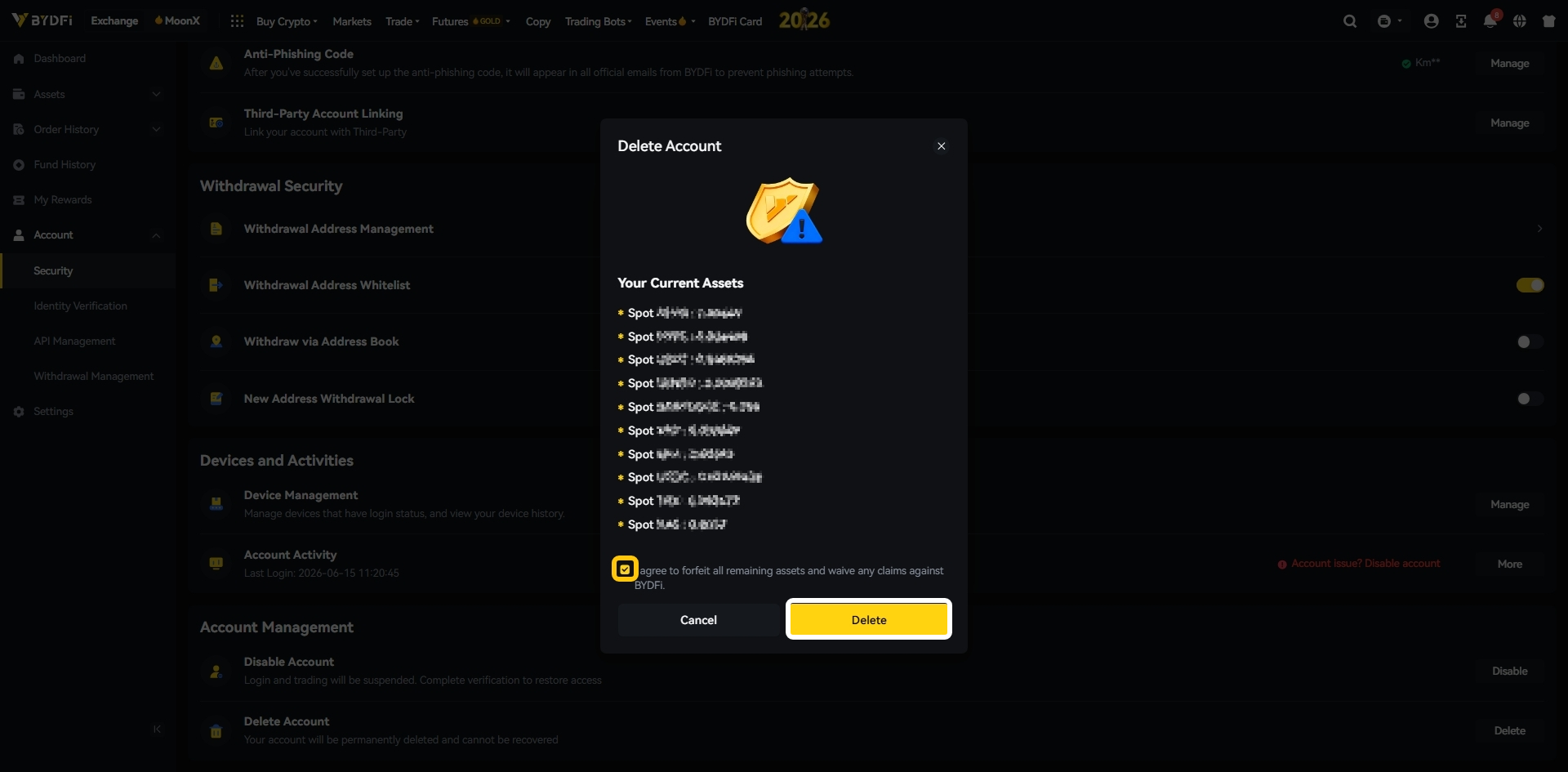
Enter the verification code sent to your registered contact method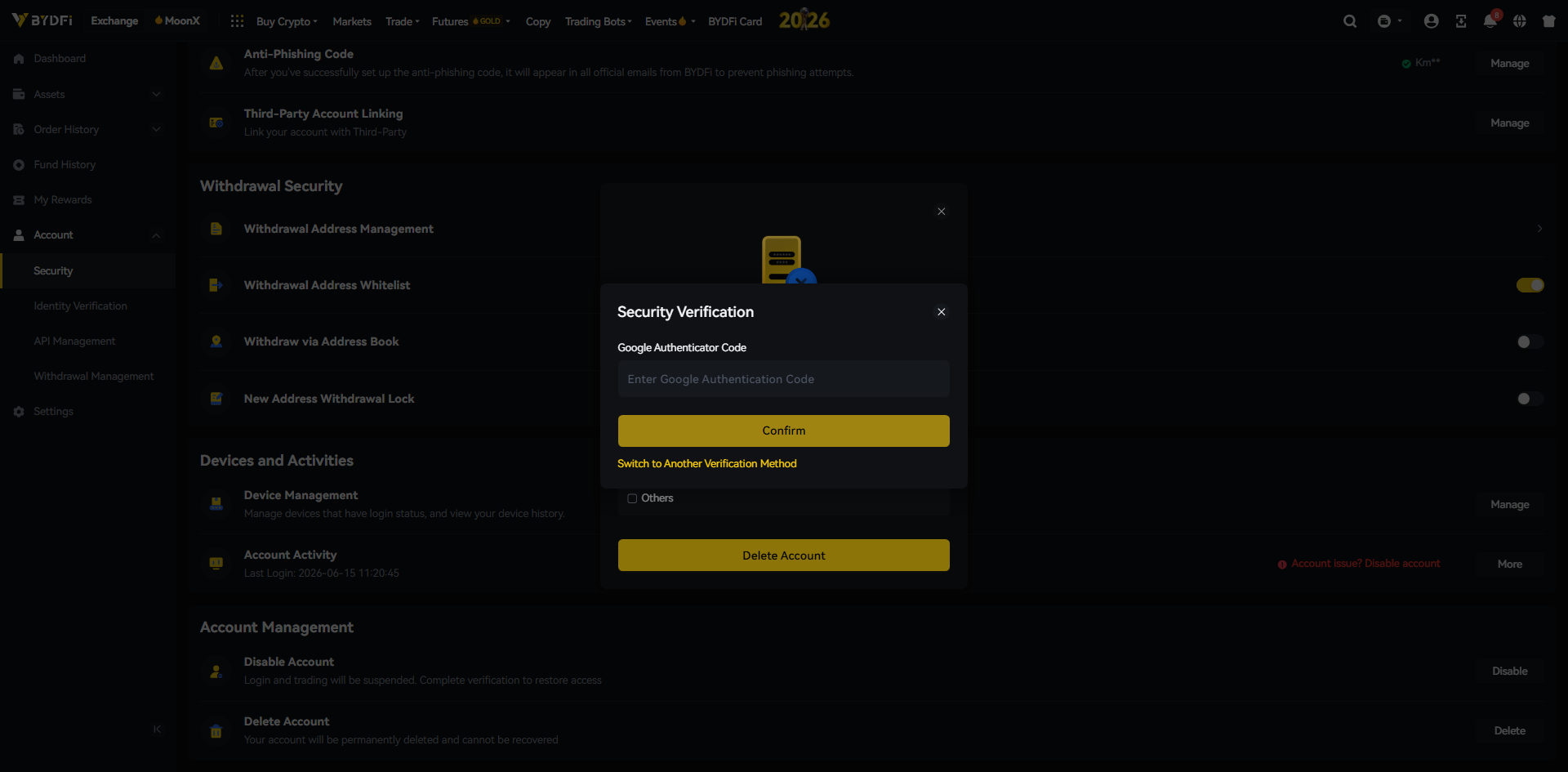
⚠️ Important: Please make sure your account has no remaining assets before deleting. Once deleted, your assets cannot be recovered.
⚠️ Additional Reminders
- All pending withdrawals and internal transfers will be canceled upon deactivation or deletion
- You must close all open positions and cancel all pending orders